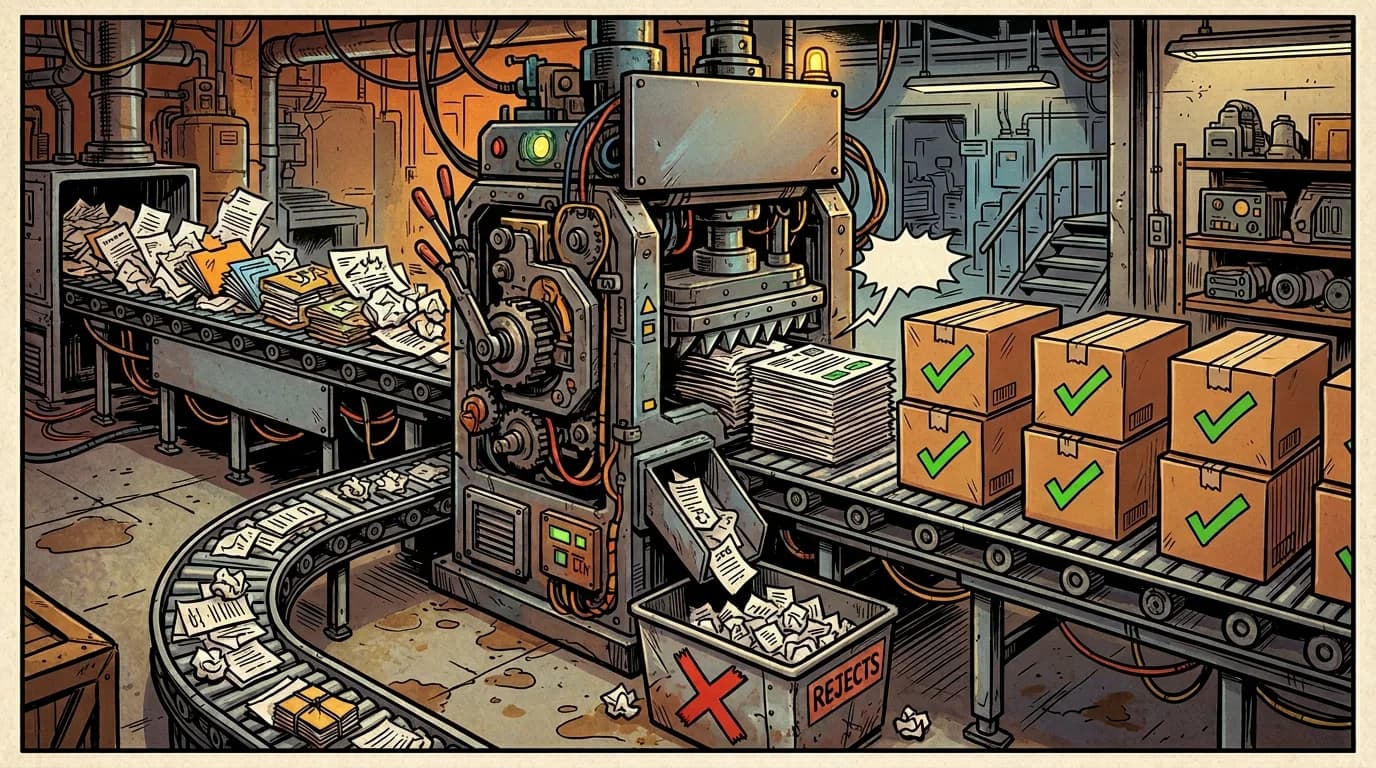
Getting Claude to return JSON is easy. Getting Claude to return reliable, validated, production-safe JSON every single time is a different problem entirely. If you've ever had a JSON parse error crash your pipeline at 3am, you know what I mean.
Structured outputs solve this. Instead of hoping the LLM returns the right format, you define a schema, enforce it, and handle failures gracefully. In this article, we'll build a complete structured output pipeline with the Claude API: JSON schemas, Zod validation, retry loops, and all the edge cases that bite you in production.
Why structured outputs matter
When you're building AI features for a product, you almost never want raw text. You want:
- A classification label from a fixed set of options
- Extracted entities with specific fields (name, email, amount, date)
- A structured analysis with scores, categories, and recommendations
- A decision tree output that feeds directly into business logic
All of these require structured data. If Claude returns "The sentiment is positive" when your code expects { "sentiment": "positive", "score": 0.92 }, your system breaks. Structured outputs give you a contract between your code and the LLM.
The basics: tool use for structured output
The most reliable way to get structured JSON from Claude is to use tool use (function calling). Instead of asking Claude to output JSON in its text response, you define a tool whose input schema matches the structure you want. Claude "calls" the tool with the structured data as arguments, and you extract the result.
This works better than asking for JSON in the prompt because:
- Claude's tool calling is specifically trained to produce valid JSON matching the schema
- The schema acts as documentation for what you expect
- You get type-safe parsing on the TypeScript side
Here's the pattern:
import Anthropic from '@anthropic-ai/sdk';

const client = new Anthropic();

const extractContactTool: Anthropic.Messages.Tool = {
  name: 'extract_contact',
  description: 'Extract structured contact information from the provided text.',
  input_schema: {
    type: 'object' as const,
    properties: {
      name: {
        type: 'string',
        description: 'The full name of the person.',
      },
      email: {
        type: 'string',
        description: 'The email address, or null if not found.',
      },
      phone: {
        type: 'string',
        description: 'The phone number in E.164 format, or null if not found.',
      },
      company: {
        type: 'string',
        description: 'The company name, or null if not found.',
      },
    },
    required: ['name'],
  },
};

async function extractContact(text: string) {
  const response = await client.messages.create({
    model: 'claude-sonnet-4-5-20250929',
    max_tokens: 1024,
    tools: [extractContactTool],
    tool_choice: { type: 'tool', name: 'extract_contact' },
    messages: [
      {
        role: 'user',
        content: `Extract the contact information from this text:\n\n${text}`,
      },
    ],
  });

  const toolBlock = response.content.find(
    (block): block is Anthropic.Messages.ToolUseBlock => block.type === 'tool_use'
  );

  if (!toolBlock) {
    throw new Error('Claude did not return a tool call');
  }

  return toolBlock.input as Record<string, unknown>;
}
The key line is tool_choice: { type: 'tool', name: 'extract_contact' }. This forces Claude to use the specified tool, guaranteeing you get structured output instead of a text response. Without this, Claude might decide to respond in plain text instead of calling the tool.
Adding Zod validation
The tool call gives you JSON, but you still can't trust it blindly. The shape might match your schema, but the values might not make sense. An email might be "not provided" instead of null. A confidence score might be 150 instead of 0.0-1.0.
This is where Zod comes in. Define a Zod schema that validates both the shape and the values:
import { z } from 'zod';

const ContactSchema = z.object({
  name: z
    .string()
    .min(1, 'Name cannot be empty')
    .max(200, 'Name is too long'),
  email: z
    .string()
    .email('Invalid email format')
    .nullable(),
  phone: z
    .string()
    .regex(/^\+[1-9]\d{1,14}$/, 'Phone must be in E.164 format')
    .nullable(),
  company: z
    .string()
    .max(200)
    .nullable(),
});

type Contact = z.infer<typeof ContactSchema>;
Now wrap the extraction with validation:
async function extractAndValidateContact(text: string): Promise<Contact> {
  const rawResult = await extractContact(text);
  const validationResult = ContactSchema.safeParse(rawResult);

  if (!validationResult.success) {
    throw new Error(
      `Validation failed: ${validationResult.error.issues.map((issue) => issue.message).join(', ')}`
    );
  }

  return validationResult.data;
}
safeParse is better than parse here because it doesn't throw. You get a discriminated union back: either { success: true, data: Contact } or { success: false, error: ZodError }. This lets you handle failures programmatically instead of catching exceptions.
Building the retry loop
Validation will fail sometimes. Maybe Claude returns an email like "john at company dot com" instead of "john@company.com". Maybe it returns a confidence score as a string "0.85" instead of a number. These are recoverable errors.
The retry loop sends the validation errors back to Claude and asks it to fix them:
interface StructuredOutputConfig<T> {
  tool: Anthropic.Messages.Tool;
  schema: z.ZodType<T>;
  maxRetries: number;
}

async function extractStructured<T>(
  prompt: string,
  config: StructuredOutputConfig<T>
): Promise<T> {
  const client = new Anthropic();
  const messages: Anthropic.Messages.MessageParam[] = [
    { role: 'user', content: prompt },
  ];

  for (let attempt = 0; attempt <= config.maxRetries; attempt++) {
    const response = await client.messages.create({
      model: 'claude-sonnet-4-5-20250929',
      max_tokens: 2048,
      tools: [config.tool],
      tool_choice: { type: 'tool', name: config.tool.name },
      messages,
    });

    const toolBlock = response.content.find(
      (block): block is Anthropic.Messages.ToolUseBlock =>
        block.type === 'tool_use'
    );

    if (!toolBlock) {
      throw new Error('No tool call in response');
    }

    const validationResult = config.schema.safeParse(toolBlock.input);

    if (validationResult.success) {
      return validationResult.data;
    }

    // If this was the last attempt, throw
    if (attempt === config.maxRetries) {
      throw new Error(
        `Structured output failed after ${config.maxRetries} retries. Last errors: ${validationResult.error.issues.map((issue) => issue.message).join(', ')}`
      );
    }

    // Feed the error back to Claude for correction
    const errorFeedback = validationResult.error.issues
      .map((issue) => `- ${issue.path.join('.')}: ${issue.message}`)
      .join('\n');

    messages.push(
      { role: 'assistant', content: response.content },
      {
        role: 'user',
        content: `The output had validation errors. Please fix these issues and try again:\n\n${errorFeedback}`,
      }
    );
  }

  throw new Error('Unreachable');
}
This is the complete pattern:
- Send the prompt with the tool
- Validate the response with Zod
- If valid, return the typed result
- If invalid, append the assistant's response and the error feedback to the conversation
- Loop back to step 1
The conversation grows with each retry, so Claude has full context of what went wrong and what to fix. In practice, the first retry fixes the issue 95%+ of the time. By the third retry, you're dealing with a genuinely ambiguous input, and it's better to escalate than keep retrying.
Using it
const SentimentSchema = z.object({
  sentiment: z.enum(['positive', 'neutral', 'negative']),
  confidence: z.number().min(0).max(1),
  reasoning: z.string().max(500),
  keyPhrases: z.array(z.string()).max(10),
});

type SentimentAnalysis = z.infer<typeof SentimentSchema>;

const sentimentTool: Anthropic.Messages.Tool = {
  name: 'analyze_sentiment',
  description: 'Analyze the sentiment of the provided text.',
  input_schema: {
    type: 'object' as const,
    properties: {
      sentiment: {
        type: 'string',
        enum: ['positive', 'neutral', 'negative'],
        description: 'The overall sentiment.',
      },
      confidence: {
        type: 'number',
        description: 'Confidence score between 0 and 1.',
      },
      reasoning: {
        type: 'string',
        description: 'Brief explanation of why this sentiment was chosen.',
      },
      keyPhrases: {
        type: 'array',
        items: { type: 'string' },
        description: 'Key phrases that influenced the sentiment classification.',
      },
    },
    required: ['sentiment', 'confidence', 'reasoning', 'keyPhrases'],
  },
};

async function analyzeSentiment(text: string): Promise<SentimentAnalysis> {
  return extractStructured(
    `Analyze the sentiment of this customer review:\n\n${text}`,
    {
      tool: sentimentTool,
      schema: SentimentSchema,
      maxRetries: 2,
    }
  );
}
Now analyzeSentiment returns a fully typed, fully validated SentimentAnalysis object. If the data doesn't match the schema, Claude gets another chance to fix it. If it still fails after 2 retries, you get a clear error.
Handling complex nested schemas
Real-world extraction often involves nested objects and arrays. Here's a more complex example: extracting structured data from an invoice.
const LineItemSchema = z.object({
  description: z.string().min(1),
  quantity: z.number().positive(),
  unitPrice: z.number().nonnegative(),
  total: z.number().nonnegative(),
});

const InvoiceSchema = z.object({
  invoiceNumber: z.string().min(1),
  date: z.string().regex(/^\d{4}-\d{2}-\d{2}$/, 'Date must be YYYY-MM-DD'),
  vendor: z.object({
    name: z.string().min(1),
    address: z.string().nullable(),
    taxId: z.string().nullable(),
  }),
  lineItems: z.array(LineItemSchema).min(1, 'Invoice must have at least one line item'),
  subtotal: z.number().nonnegative(),
  taxRate: z.number().min(0).max(1),
  taxAmount: z.number().nonnegative(),
  total: z.number().positive(),
  currency: z.string().length(3, 'Currency must be a 3-letter ISO code'),
});

type Invoice = z.infer<typeof InvoiceSchema>;
The corresponding tool schema mirrors this structure. The Zod validation catches issues like:
- Missing line items (
.min(1)) - Invalid date formats (regex)
- Negative prices (
.nonnegative()) - Wrong currency codes (
.length(3)) - Mathematical inconsistencies (you can add a
.refine()to check that line item totals sum to the subtotal)
Adding cross-field validation with refine
Sometimes individual fields are valid but the combination isn't. Zod's .refine() handles this:
const InvoiceSchemaWithRefine = InvoiceSchema.refine(
  (invoice) => {
    const calculatedSubtotal = invoice.lineItems.reduce(
      (sum, item) => sum + item.total,
      0
    );
    return Math.abs(calculatedSubtotal - invoice.subtotal) < 0.01;
  },
  { message: 'Line item totals do not sum to the subtotal' }
).refine(
  (invoice) => {
    const calculatedTax = invoice.subtotal * invoice.taxRate;
    return Math.abs(calculatedTax - invoice.taxAmount) < 0.01;
  },
  { message: 'Tax amount does not match subtotal * tax rate' }
);
When these refinements fail, the error messages get sent back to Claude in the retry loop. Claude sees "Line item totals do not sum to the subtotal" and recalculates. It's surprisingly effective.
Performance considerations
Every retry costs time and tokens. Here's how to minimize both:
Start with the smallest capable model. For simple extractions (sentiment, classification, entity extraction), claude-haiku-4-5-20251001 is fast, cheap, and reliable. Save Sonnet and Opus for complex reasoning tasks.
Keep your schema descriptions precise. Vague descriptions lead to vague outputs. "A number between 0 and 1" is better than "A confidence score." "ISO 8601 date format (YYYY-MM-DD)" is better than "The date."
Set reasonable max_tokens. If your expected output is 200 tokens, don't set max_tokens to 4096. Lower limits mean faster responses.
Cache schema definitions. Creating Zod schemas and tool definitions on every call is wasteful. Define them once at module level.
Monitor retry rates. If a specific extraction retries more than 5% of the time, your schema or prompt needs work, not more retries.
A real-world pattern: batch processing with structured outputs
In production, you often process hundreds or thousands of items. Here's a pattern for batch extraction with concurrency control:
async function batchExtract<T>(
  items: string[],
  config: StructuredOutputConfig<T>,
  concurrency: number = 5
): Promise<Array<{ input: string; result: T | null; error: string | null }>> {
  const results: Array<{ input: string; result: T | null; error: string | null }> = [];
  const queue = [...items];

  async function processNext(): Promise<void> {
    while (queue.length > 0) {
      const item = queue.shift();
      if (!item) break;

      try {
        const result = await extractStructured(item, config);
        results.push({ input: item, result, error: null });
      } catch (error: unknown) {
        results.push({
          input: item,
          result: null,
          error: error instanceof Error ? error.message : String(error),
        });
      }
    }
  }

  const workers = Array.from({ length: concurrency }, () => processNext());
  await Promise.all(workers);

  return results;
}
This runs up to 5 extractions in parallel, handles errors per-item (so one failure doesn't kill the batch), and returns a clean results array with both successes and failures.
Conclusion
Structured outputs with Claude follow a simple recipe:
- Define the shape with a tool schema (what you want)
- Force the tool with
tool_choice(make Claude produce it) - Validate with Zod (trust but verify)
- Retry with feedback (give Claude a chance to fix mistakes)
- Fail gracefully (after N retries, escalate or skip)
The extractStructured function in this article is about 50 lines of code, and it handles 95% of real-world structured output needs. The retry loop with validation feedback is the key insight: instead of hoping for perfect output, you build a feedback mechanism that converges on the right answer.
Use this pattern for data extraction, classification, content analysis, or anywhere you need typed, validated data from Claude. The same retry-with-feedback idea scales up into a full agent: when you put structured outputs inside a loop that acts, evaluates, and tries again, you get an agent that improves each turn. We build exactly that in the Claude agentic loop: a coding agent that fixes failing tests. Your 3am self will thank you.